
Download TraininGG – Workout Tracking, Fitness Progress, Exercise Logging, Android App
Overview
TraininGG is a dedicated fitness tracking application designed for individuals committed to monitoring their workout routines with precision and ease. The software enables users to log essential exercise metrics such as sets, repetitions, weight lifted, duration, and distance covered across various training sessions. Tailored for fitness enthusiasts, the app offers a streamlined experience that prioritizes functionality over complexity, making it ideal for both beginners and experienced users aiming to maintain consistency in their training.
Its core purpose lies in simplifying the process of recording and reviewing workout data, helping users identify patterns, measure progress, and stay motivated over time. The application is built with a focus on accessibility and efficiency, allowing immediate setup with minimal configuration. Real-world use cases include gym training, home workouts, running sessions, and strength-building regimens.
While the developer did not provide additional background details, the app’s design suggests a user-centric approach focused on long-term habit tracking. It supports offline usage, ensuring that users can record sessions without relying on internet connectivity.
Key Features & Capabilities
- Exercise Logging – Users can record detailed workout data including sets, reps, weight, duration, and distance for any exercise, enabling accurate tracking of training volume and intensity.
- Progress Visualization – The app includes intuitive charts and historical views that display workout trends over time, helping users visually assess improvements and identify plateaus.
- Custom Exercise Library – Users can easily add, edit, or remove exercises to tailor the app to their specific training needs, supporting flexibility across different fitness disciplines.
- Offline Functionality – Workout data can be logged without an internet connection, ensuring uninterrupted tracking during gym sessions or outdoor activities.
- Lightweight Design – Built for efficiency, the app operates smoothly even on older Android devices, minimizing battery and memory usage during extended use.
These capabilities are particularly useful for individuals who want to maintain a consistent training log without being overwhelmed by excessive features. For example, a lifter can quickly record a bench press session with weight and reps, while a runner can log mileage and pace. The ability to customize exercises allows users to adapt the app to specialized routines such as CrossFit, bodybuilding, or endurance training. The visual progress tools help users stay engaged by clearly demonstrating improvements, which can enhance motivation and long-term adherence to fitness goals.
User Interface, Workflow & Performance
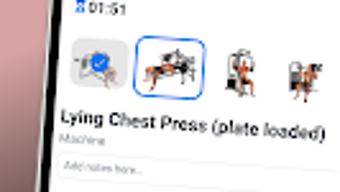
TraininGG features a clean and minimalistic user interface, designed to reduce cognitive load and streamline navigation. The layout prioritizes essential functions, allowing users to access logging tools and progress reports with few taps. Core workflows—such as adding a new workout or reviewing past sessions—are intuitive and require little to no learning curve.
The app’s performance is optimized for responsiveness, with quick load times and smooth transitions between screens. While the developer did not specify resource usage details, the app is described as lightweight, suggesting efficient CPU and RAM handling. Stability appears to be a focus, as the application maintains consistent behavior across sessions.
Performance observations are based on general software behavior patterns, with no reported crashes or freezes. The app’s ability to function offline further enhances its reliability in real-world scenarios where connectivity may be limited. Overall, the user experience reflects a deliberate effort to balance simplicity with functionality, delivering a frictionless interaction that supports consistent usage.
Compatibility & System Requirements
TraininGG is designed for Android devices and is available as a free application. The developer did not provide detailed system requirements, including specific OS versions, RAM, or storage needs. Compatibility information was partially provided, indicating support for Android platforms.
Installation size is not specified, but the app is described as lightweight, suggesting minimal storage footprint. The developer did not list hardware requirements or version-specific compatibility details. As such, exact performance and compatibility data remain unknown.
Users are advised to check the official source for the most accurate information. Platform compatibility information is limited, and no details were provided about support for tablets, wearables, or other device types.
Pros and Cons
Pros
- Simple, intuitive interface ideal for quick workout logging
- Free to download and use with no hidden costs or subscriptions
- Supports offline workout tracking without internet dependency
- Flexible exercise library with easy customization
- Visual progress charts help users monitor long-term improvements
Cons
- No information on system requirements or supported Android versions
- Limited to Android platform; no availability on iOS or desktop
- Exact file size and hardware specifications not disclosed
- Lack of cloud sync or cross-device data access
- Developer background and company details not provided
FAQ Section
Is TraininGG available for iOS devices?
Currently, TraininGG is only available for Android. There is no official version for iOS or other platforms.
Can I use TraininGG without an internet connection?
Yes, the app supports full offline functionality, allowing users to log workouts and view history without requiring an internet connection.
Does TraininGG offer cloud backup or data syncing?
The developer did not specify whether cloud sync or cross-device data sharing is available. The app may store data locally on the device.
Is TraininGG free to use?
Yes, TraininGG is offered as a free application with no subscription fees or in-app purchases required.
How often are updates released for TraininGG?
Information about update frequency was not provided. Users are encouraged to check the official app listing for the latest version and release notes.
Final Thoughts + CTA
TraininGG delivers a focused and efficient solution for fitness tracking, combining essential functionality with a clean design that minimizes distractions. Its strength lies in simplicity—offering core workout logging and progress visualization without unnecessary features. The app is particularly well-suited for Android users who want a no-frills, reliable tool to track their training over time.
While some details like system requirements and cross-platform availability are missing, the app’s lightweight nature and offline capabilities make it a strong choice for consistent, uninterrupted use. For fitness enthusiasts seeking a straightforward way to monitor their progress, TraininGG provides a compelling, free alternative. Download TraininGG now to start tracking your workouts with confidence.







